 BRADS — Visual guide
COMPLETE WALKTHROUGH
What BRADS looks like
These screens show the complete Chrome and Edge experience.
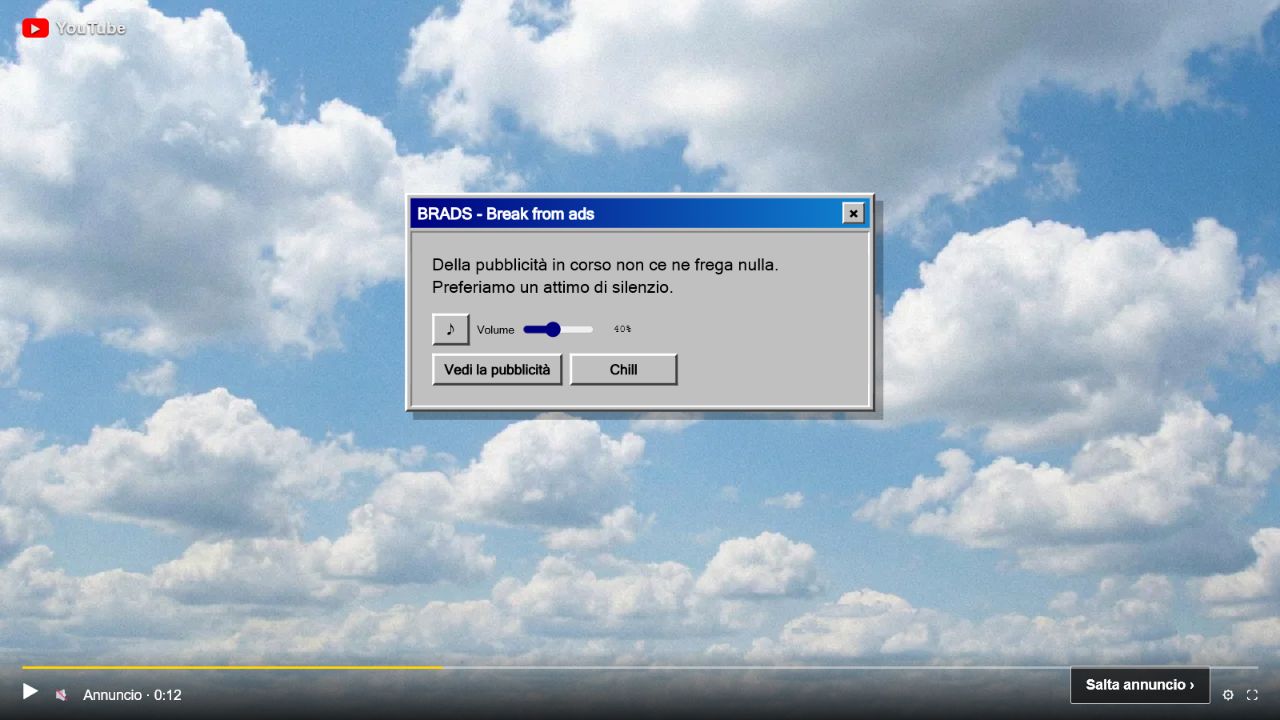
During the ad
BRADS covers and mutes the player. You can play local music, change its volume or choose “See the ad”.
YouTube’s native “Skip ad” button remains available when present.
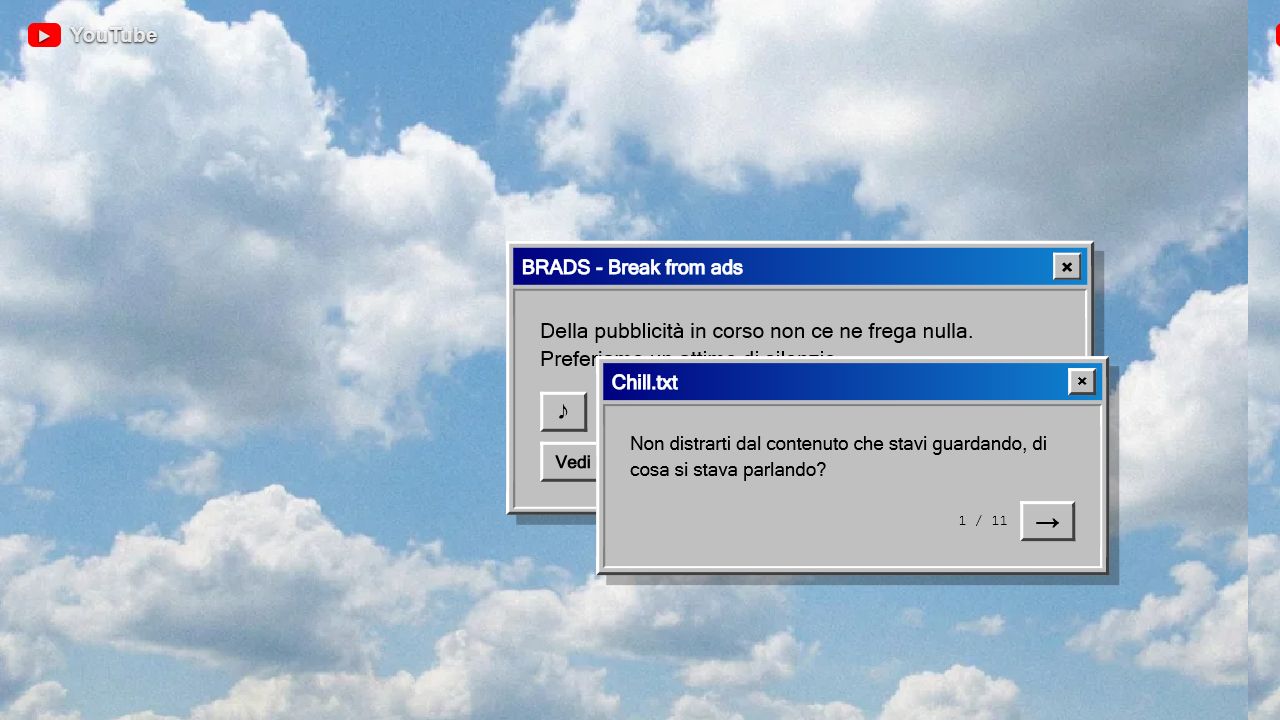
The Chill window
It shows one suggestion at a time. Move to the next one, close the window or drag it around. Suggestions can be edited and remain only on the device.
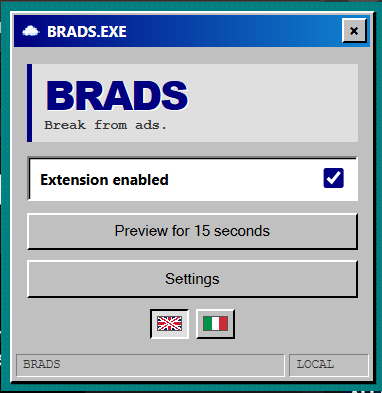
Quick pop-up
Pause BRADS, run a 15-second preview or open settings. Diagnostic controls remain hidden until diagnostics are enabled.
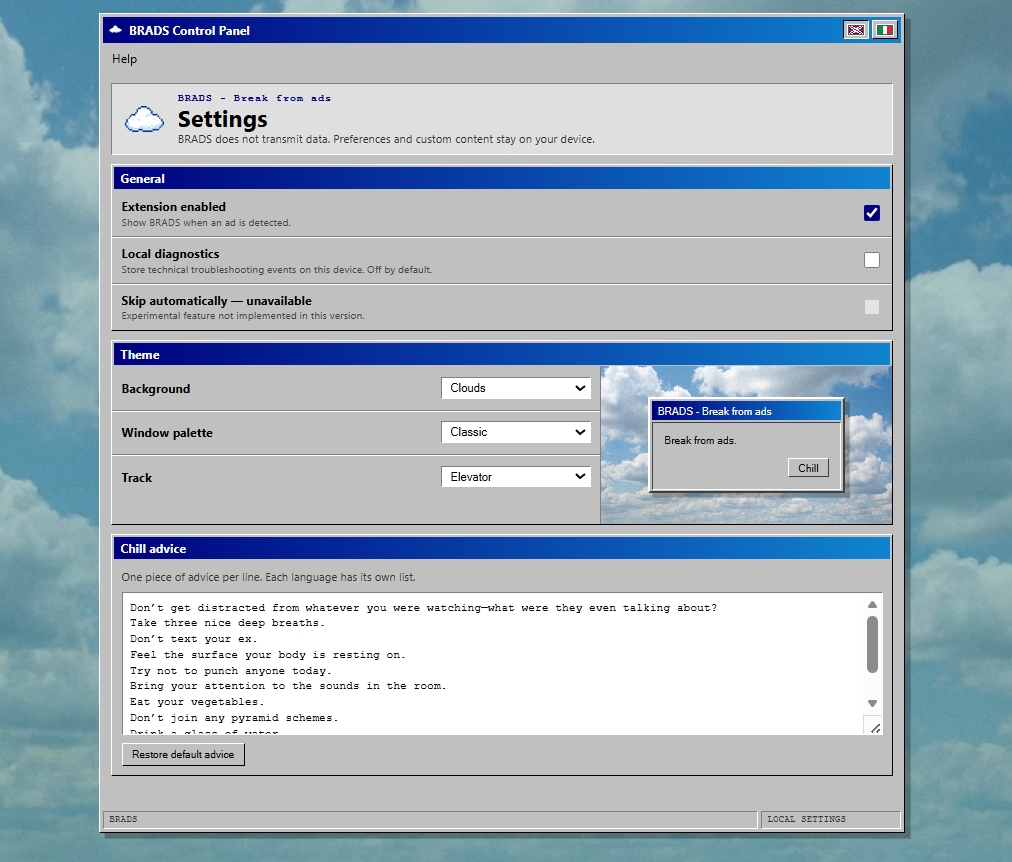
Settings
Choose the language from the title bar, then select wallpaper, palette and music in one compact panel. You can also edit Chill suggestions and voluntarily enable local diagnostics.
When the ad ends, BRADS closes and restores the previous volume.